


If you use an iPhone and its battery drains quickly, you can fix this problem by enabling a few settings that help extend battery life.
Nowadays, phone usage has increased, making it increasingly difficult to keep the battery running for a full day. This becomes even more challenging if you have to leave the house for some important work. Companies are now offering larger batteries, but even then, it can sometimes be challenging. If you’re an iPhone user, there are several ways to avoid this problem. By turning on certain settings, your iPhone’s battery can be extended.
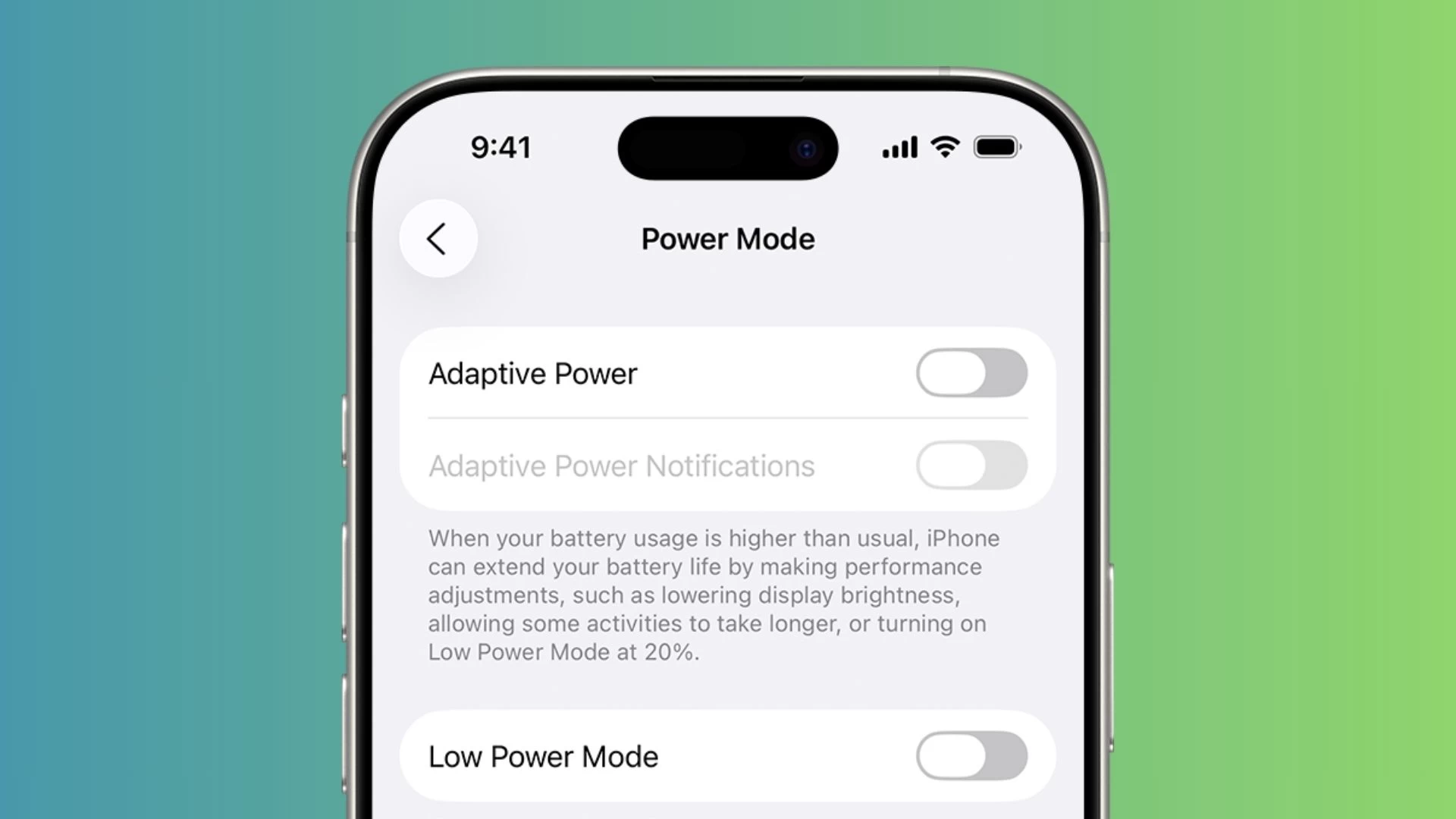
Enable Adaptive Power Mode:
This feature is on by default on the recently launched iPhone 17 series, but it needs to be manually enabled on the iPhone 16, iPhone 15 Pro, and Pro Max models. Go to Battery settings, tap Power Mode, and enable Adaptive Power. This mode adjusts performance, reducing screen brightness and limiting background activity.
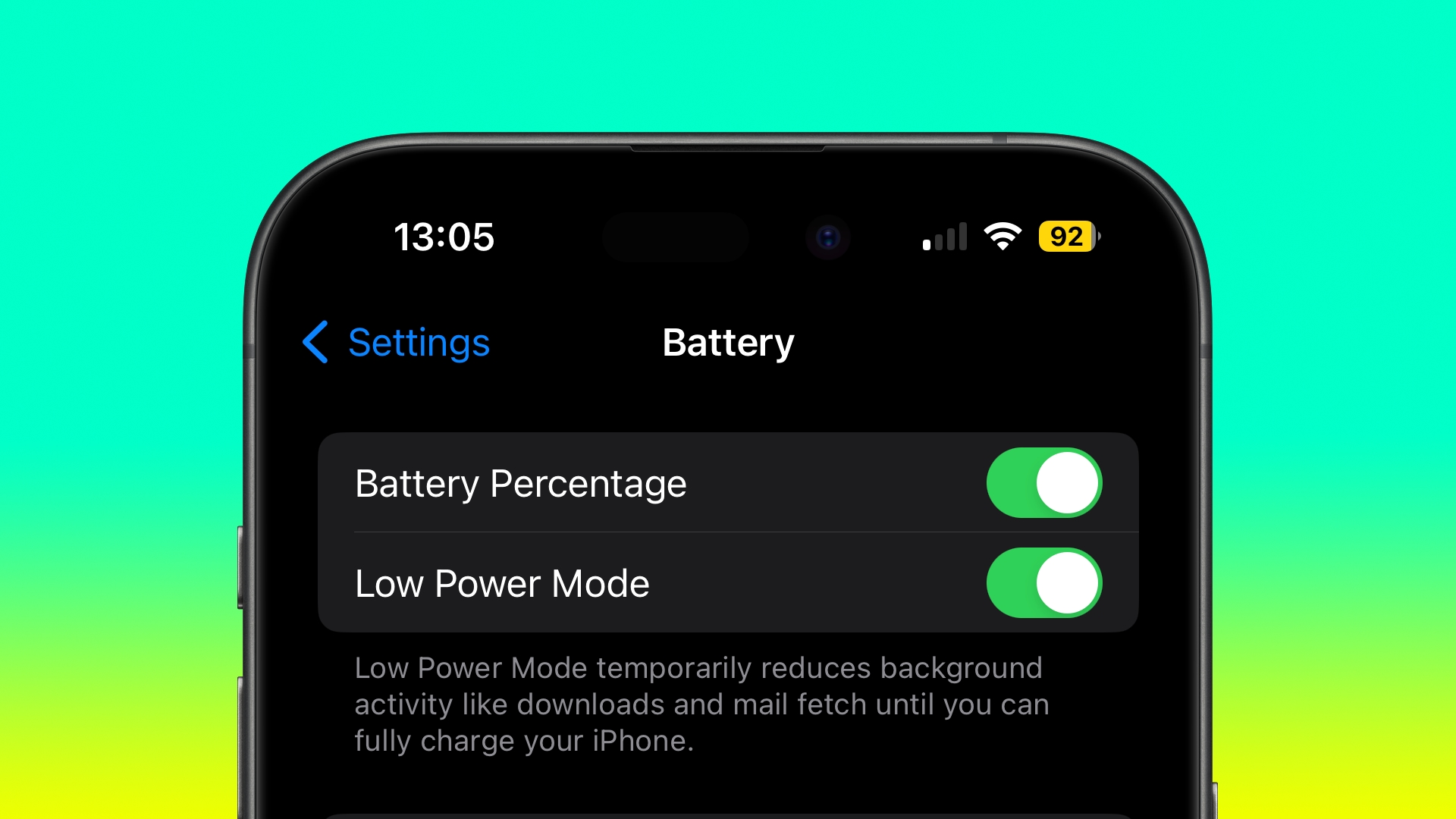
Low Power Mode:
This is a very useful feature to prevent the battery from draining quickly. Enabling it forces the iPhone to perform only essential tasks and stops background activities. It automatically activates when the iPhone’s battery drops below 20 percent. It can also be activated earlier by going to the Battery settings. When enabled, the battery icon turns yellow.
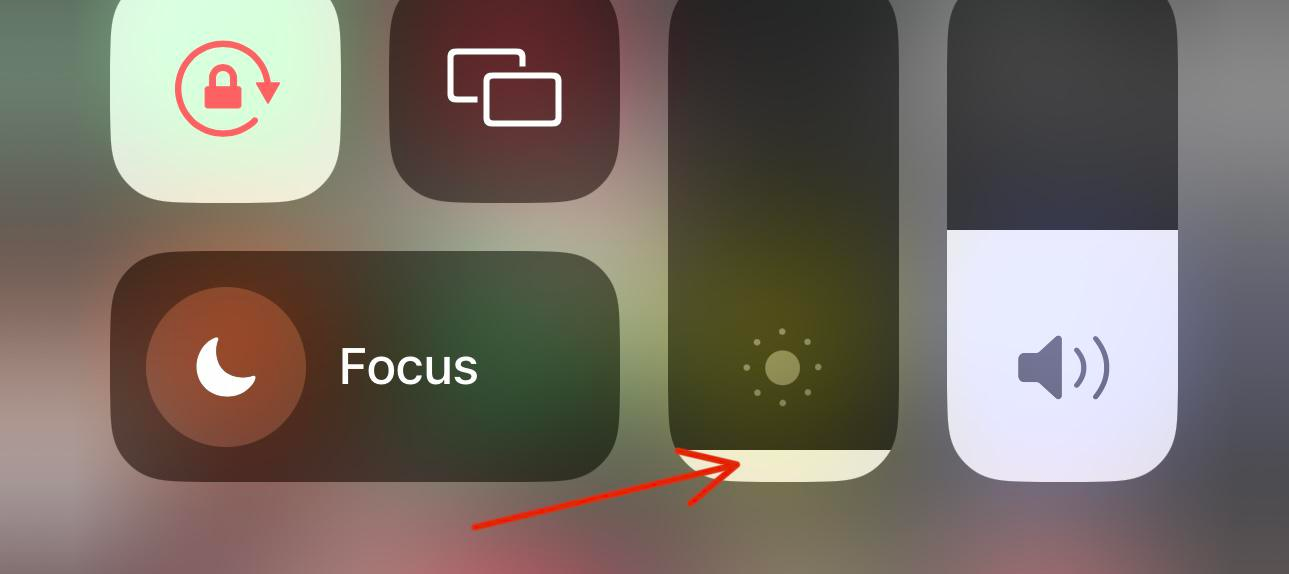
Keep the screen brightness low:
Phone screens significantly impact battery life. Companies are now releasing phones with larger and brighter displays, which drain battery faster. To prevent this, you can reduce screen brightness. The iPhone’s slider bar provides the option to control screen brightness. If you don’t have to go outdoors, turning off the auto-brightness feature can also save battery.
Read More:- Bihar Jobs 2025: Junior Engineer Recruitment Starts Oct 15