

The iOS 26 update from Apple has finally been made available after a protracted delay. It contains a lot of new features and an entirely new interface.
iOS 26 Released: The long-awaited iOS 26 update has now been made available by Apple. Updates for macOS and iPadOS 26 have also been made available. At Apple’s Worldwide Developers Conference (WWDC) in June, this upgrade was initially displayed. Users can enjoy new features on the lock screen, Apple intelligence features, and the liquid glass design language in the latest operating system. Tell us which iPhones are compatible with iOS 26 and how to install it.
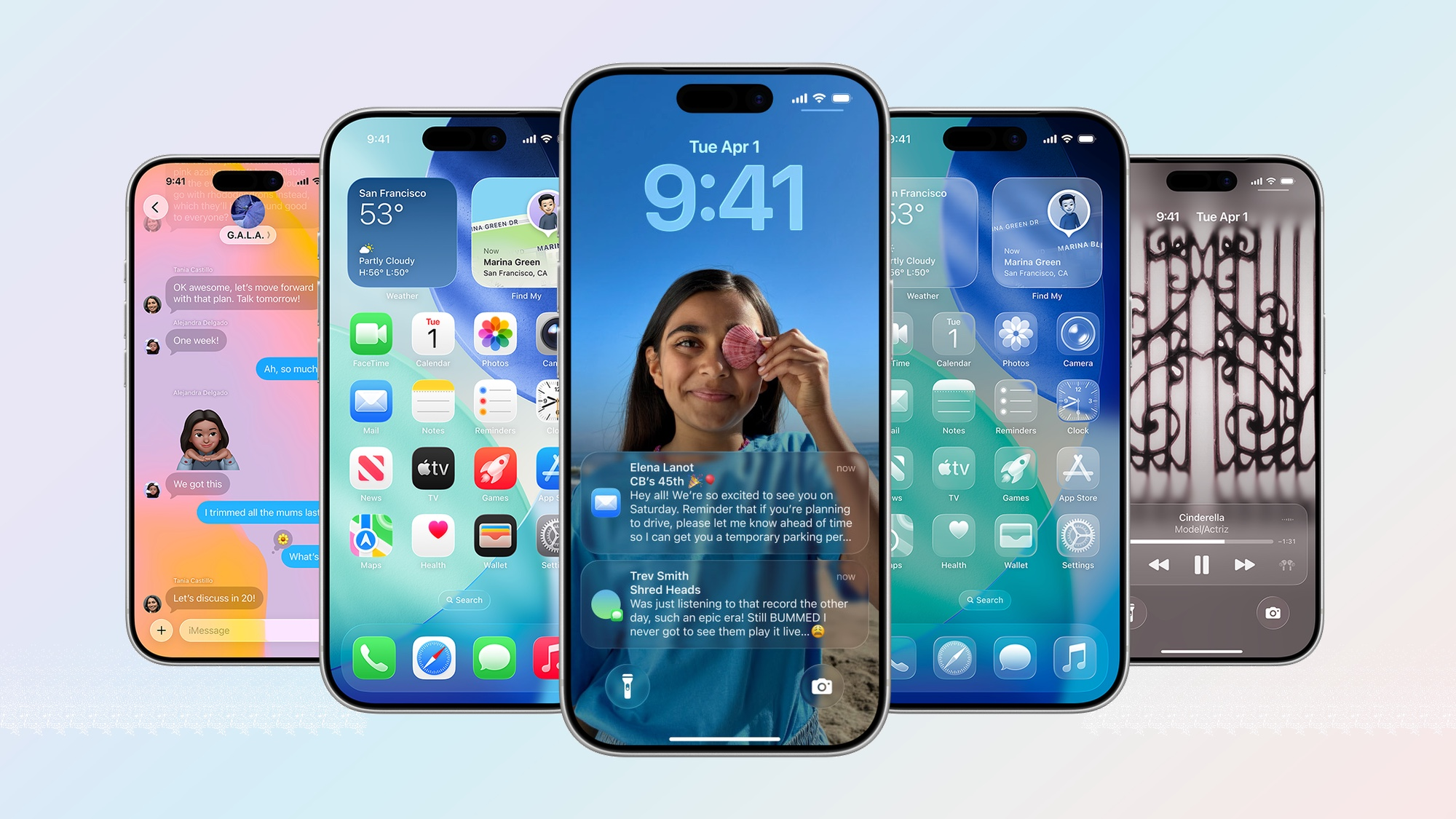
The visionOS interface served as the model for the new design.
Users have noticed a new look, clever experiments, and several enhancements to already-existing apps in the iOS 26 upgrade. The translucent visionOS interface served as the model for its liquid glass design language. Your iPhone’s UI will completely change after this upgrade. The aspects of numerous programs, such as menus, choices, alerts, control center and messages, phone, and camera, have been given a new appearance by the firm in this update.
Recent additions to the lock screen
The iPhone’s lock screen will also undergo a major redesign following the iOS 26 release. This will give the date and time widget a new look and allow it to be customized to match the wallpaper. Spatial scenes are another intriguing element that will give the wallpaper a sense of depth.
These iPhones will support the installation of iOS 26.
This update can be installed on iPhones with A13 and later CPUs. In other words, it will not work with iPhones that are not part of the iPhone 11 series. It will work with all iPhone models starting with the iPhone 11 series. This update is compatible with the iPhone 12, 13, 14, 15, and 16 series in addition to the iPhone 11 series. With this upgrade, the iPhone 17 series was released.
Remember these things.
- Turn off automatic updates if you do not wish to update your iPhone to iOS 26. To do this, select General from Settings. The software update option is visible here. Here, disable the automatic iOS update.
- Always remember that your phone should have enough capacity if you wish to upgrade it. You can move the data if there is less storage. In addition, your iPhone should have a good internet speed and be fully charged. This will facilitate speedy phone updates.
- Navigate to Settings and select General to begin installing the update. Tap on Software Update here. The update option will then appear. You can download and install the update by pressing on it.
Read More: Bajaj Platina Cheaper Than Hero Splendor Plus

|
|
 Facebook Page Facebook Page |
Click Here |
| Twitter |
Click Here |
| Instagram |
Click Here |