

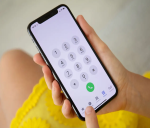
Smartphone Tips and Tricks: Today we are going to tell you about some such tricks, by adopting which you can easily get rid of those phone calls, which you do not want to receive.
Smartphone Tips and Tricks: There is no other time than sleeping in the day when we do not have a smartphone. While working, sitting with family, or watching TV, we keep our smartphones with us at all times. Being a smartphone user, you must be aware that almost every day there are calls from banks, telecom companies, etc., which bother you. Let us know how you can get rid of these calls without putting your phone in ‘flight mode’.
these calls bother
Many efforts are being made to stop spam calls, but even after these efforts, many spam calls keep coming to the customers. Apart from spam calls, many times you also avoid taking normal calls. Today we are going to tell you about some such options by which you can easily avoid these calls.
Read More: With this smart planning, the dream of traveling abroad can be fulfilled in 1 lakh rupees
The cure is hidden in your phone’s settings
You can easily use the first option we have to avoid such calls. You will find the solution to this problem in the call settings of your smartphone. Go to Settings, then click on the ‘Call Forwarding’ option. Here you will see three options, ‘Always forward’, ‘Forward when busy, and ‘Forward when unanswered.
From this select the option of ‘Always Forward’. Then enter a number that is either off or not working and then click on the ‘Enable’ button. This will stop all incoming calls to your number and you will not even have to use flight mode.
you have another option
Apart from call forwarding and flight mode, you also have an option that you can use and that option is ‘call barring’. Go to the call settings of your smartphone and select this option. Here select the ‘All Incoming Calls’ option and then enter the ‘Call Barring’ password. This password is usually 0000 or 1234. Now tap on the ‘Turn On’ option and you are done.
With these simple steps, you can get rid of all kinds of phone calls.